





I like shopping apps that fit into something I already do, and Receipt Hog: Cash for Receipts takes that approach quite literally. Instead of asking me to change where I shop, it turns ordinary paper or digital receipts into a small rewards routine. I scan a receipt, wait for it to be accepted, and build toward Rewards Cash or gift cards. That sounds simple, and the basic workflow really is simple, but getting consistent value requires a little more organization than the store summary suggests.
This is a free shopping app from Numerator, LLC, rated for Everyone. It has been available since July 12, 2013, and its current version is 9.7.1. With a 4.7 average from around 339 thousand ratings and more than 5 million installs, it is clearly not an obscure experiment. I can understand the appeal: there is no need to plan a special shopping trip around a coupon, and the reward comes from documenting purchases I was already making.
How the everyday receipt routine works
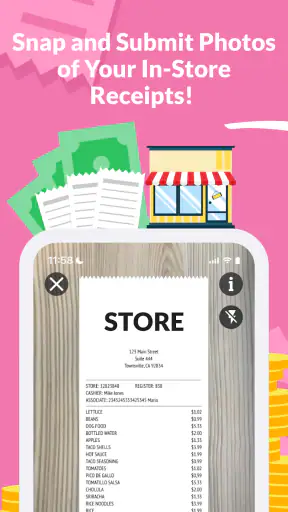
The most useful way to think about Receipt Hog is as a receipt inbox. After a normal grocery, pharmacy, convenience, or other eligible shopping trip, I keep the receipt rather than throwing it away immediately. I open the app, use its receipt-scanning flow, and check that the image is readable before submitting it. That last glance matters because a blurry photo, folded section, glare, or missing portion can turn a two-minute task into a frustrating correction.
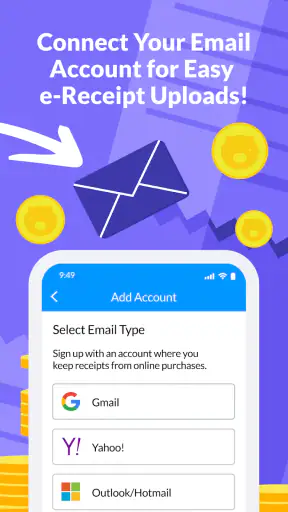
My preferred routine is to scan soon after getting home. The receipt is still flat, the store details are fresh in my mind, and I am less likely to misplace it. For digital receipts, the practical habit is similar: I keep the relevant message or document available, then complete the submission while it is easy to identify. The app is most convenient when it becomes part of unpacking groceries rather than a separate chore I remember several days later.
Receipt Hog does not replace a conventional budgeting app. It is not where I would track household totals, compare monthly spending, or decide whether a purchase was affordable. Its role is narrower and more pleasant: recover a little value from receipts that would otherwise be discarded. That distinction helps set sensible expectations. The reward is a bonus attached to shopping, not a reason to buy something unnecessary.
One realistic example is a weekly supermarket trip. I unload the bags, place the receipt beside my keys, and scan it before starting dinner. If I do that every week, the app becomes nearly automatic. If I wait until the end of the month and discover a pile of crumpled receipts, the process feels much more tedious and the chance of losing one rises sharply. The app rewards consistency of habit more than bursts of enthusiasm.
What makes the basic flow appealing
The strongest part of the experience is its low commitment. I do not have to learn a complicated cashback portal, activate a long list of product offers, or remember to begin a shopping session through a particular link. I simply preserve the receipt and submit it. That makes the app a good match for people who shop at several places and do not want their rewards tied to one retailer.
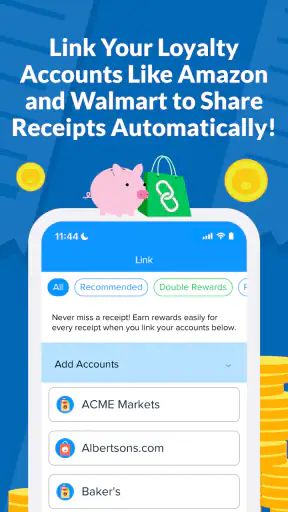
It is also more flexible than rewards systems that depend entirely on loyalty cards. A loyalty program can be excellent when I regularly use one supermarket, but it becomes less useful when I visit a different store for a quick purchase or split a trip between several retailers. Receipt Hog gives the receipt itself a central role, which suits irregular shopping patterns better.
There is still a small amount of work involved. I need to photograph carefully, follow the app’s submission steps, and pay attention to whether the receipt has been accepted. Anyone expecting instant money after every scan may find the process less satisfying. The app is better understood as a gradual rewards account than as an immediate discount at checkout.
Settings and phone habits that prevent wasted effort
The first settings I would check are the ones that affect camera access, notifications, and storage. Receipt scanning depends on a usable camera, so I make sure the app can access it when needed. Notifications can be helpful if they remind me to finish a pending task, but I prefer to keep only useful reminders enabled. Too many alerts make a small rewards app feel noisy, which is the opposite of its main advantage.
I also check how the app behaves with mobile data. A receipt photo can be inconvenient to upload when I am in a supermarket with poor reception, so I usually scan at home on a stable connection. This is not a special feature or a shortcut; it is simply a better workflow. I can take care of the physical receipt and the digital submission together, without wondering whether an upload stalled.
Storage is another modest consideration. Receipt images are not usually large enough to dominate a phone, but people who submit frequently should still notice whether the app retains local copies or whether their device is already crowded with photos. I avoid taking several nearly identical pictures “just in case.” One clear image is easier to review and keeps my camera roll tidier.
The app’s minimum operating-system requirement is Android 7.0, which makes it accessible on many older Android phones. That is useful for someone who does not upgrade often, although camera quality and system performance can still affect the experience. On an older device, I would close demanding apps before scanning and make sure the lens is clean. A technically supported phone can still produce poor receipt images if its camera struggles with focus or low light.
Privacy-minded users should take a moment to read the app’s current permission and account explanations before committing to a regular routine. Receipts can reveal shopping habits, store visits, dates, and purchased items. I would not scan a receipt casually without understanding how the app handles submitted information. That is not a reason to reject it, but it is a sensible trade-off to consider alongside the rewards.
Repeatable patterns that make scanning faster
Experienced use is mostly about removing tiny decisions. I keep receipts in one predictable place until they are scanned. For me, that could be a small envelope near the front door or a designated spot on the kitchen counter. The exact location does not matter; what matters is avoiding the familiar problem of receipts being scattered through shopping bags, coat pockets, and car compartments.
I also scan in batches when several receipts come from the same day, but I do not let the batch grow too large. A short session is manageable because I can still remember which receipt belongs to which purchase. A huge backlog creates uncertainty, especially when receipts look similar. The best balance is a daily or every-few-days rhythm, depending on how often I shop.
Lighting makes a bigger difference than many new users expect. I place the receipt on a dark, flat surface and avoid overhead glare. If the paper is long, I capture it in a way that keeps the whole document visible and legible rather than rushing through several awkward angles. I check the edges, store information, date, and totals before submitting. This simple inspection is one of the most useful habits because it prevents avoidable resubmissions.
For paper receipts, I do not fold them immediately after checkout. Creases can hide text and make the camera work harder. If a receipt is already wrinkled, I smooth it under a book for a short while rather than trying to photograph it while holding it in the air. That may sound fussy, but it is faster than repeatedly retaking a bad image.
A useful mental shortcut is to treat the scan as part of the shopping checklist: bags, keys, payment, receipt, scan. I do not open the app while rushing through a checkout line. I wait until I have a stable surface and enough light. The result is usually cleaner, and I am less likely to submit the wrong receipt or abandon the process halfway through.
- Keep unscanned receipts in one place.
- Use a flat, well-lit surface instead of photographing in your hand.
- Review the complete image before sending it.
- Scan regularly rather than creating a large backlog.
- Keep the app’s notifications useful instead of allowing unnecessary interruptions.
These habits do not create extra rewards by themselves, and I would be suspicious of any claim that a secret button dramatically changes earnings. Their value is practical: they reduce mistakes, save time, and make it more likely that I actually use the app long enough to receive something worthwhile.
Where the app reaches its limits
The biggest limitation is that the value depends on eligible receipts and on my willingness to keep submitting them. I cannot assume every scrap of paper will produce the same result, and I should not shop more often simply to generate more scans. If I rarely receive receipts, the account will naturally grow slowly. Someone looking for frequent, high-value savings may prefer targeted coupon apps or retailer-specific cashback programs.
There is also a trade-off between convenience and information. Receipt-based rewards require me to share details of purchases with a service. For some people, that exchange is acceptable for a small return; for others, the privacy cost will outweigh the benefit. I would skip the app if I felt uncomfortable submitting household shopping records, even though the app is free.
Another point is timing. The process is not the same as receiving an instant price reduction. I pay normally, submit the receipt, and wait for the reward account to develop. That makes Receipt Hog a poor fit for someone who needs savings at the checkout moment. A supermarket loyalty card, an instant coupon, or a price-comparison tool may be more useful in that situation.
It is also not a replacement for comparing prices before buying. A small reward should never persuade me that an expensive product became a bargain. I still check unit prices, choose the store that makes sense, and avoid adding items just because I want another receipt. The app works best after sensible shopping decisions, not instead of them.
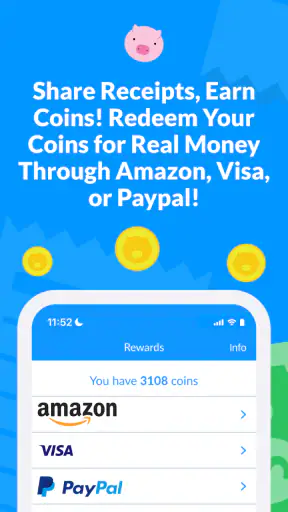
Users should pay attention to the app’s current redemption choices and instructions inside their own account. Rewards Cash and gift cards are the central appeal, but the practical usefulness depends on which option suits the user and how the in-app process is presented at the time of redemption. I would review those details before investing effort, particularly if I have a specific type of gift card in mind.
People who shop almost exclusively through digital orders may also find the routine less natural than someone who regularly handles paper receipts. That does not automatically make the app unsuitable, but it means the user should be comfortable with the available receipt-submission process for their purchases. If most shopping records are difficult to retrieve, the app becomes a reminder of unfinished tasks rather than an easy reward tool.
How it compares with familiar shopping alternatives
Compared with a store loyalty program, Receipt Hog is less tied to one retailer but may offer less immediate value at the register. A loyalty card can apply member pricing automatically, while this app asks me to do something after the purchase. I prefer Receipt Hog when my shopping is spread across different stores; I prefer a store program when one retailer already covers most of my weekly needs.
Compared with coupon and product-offer apps, the receipt workflow is simpler but less focused on planning. Coupon apps can save more on a specific item when I remember to activate an offer and buy the right product. Receipt Hog suits me better when I want a broad, low-effort routine and do not want to build a shopping list around promotions.
Compared with cashback services linked to online purchases, this app is more relevant to physical receipts and everyday errands. Online cashback can be stronger for planned internet orders, especially when I already know which retailer I will use. Receipt Hog is more useful for the unremarkable purchases that happen locally and would otherwise generate no separate reward.
Compared with a budgeting app, the difference is even clearer. Budgeting software helps me understand spending; Receipt Hog gives me a reason to preserve receipts and work toward a reward. I would use both only if I genuinely wanted both functions, not because one substitutes for the other.
Who should use it, and who should pass
I would recommend it to someone who shops regularly, receives readable receipts, and enjoys small rewards that accumulate in the background. It is especially suitable for people who visit multiple retailers, do not want to manage product-specific offers, and can build a simple scanning habit. The free price makes experimenting easy, provided the user is comfortable with the information involved.
I would be more cautious recommending it to someone who wants guaranteed savings on every purchase. I would also suggest skipping it if the person rarely shops, routinely loses receipts, dislikes taking photos, or considers receipt data too sensitive to share. In those cases, a retailer loyalty program, a coupon service, or no rewards app at all may be the better choice.
The Everyone age rating makes the app broadly approachable, but younger users should still understand that receipt scanning involves purchases and account activity rather than a game-like reward loop. I would explain the routine clearly and encourage sensible shopping rather than treating the app as a reason to spend.
My verdict after settling into the routine
Receipt Hog succeeds because it keeps its central idea understandable: I scan receipts from normal shopping and work toward Rewards Cash or gift cards. The experience is not completely passive, and the return is not a substitute for careful budgeting or instant discounts. Still, the low effort can be worthwhile when I already have receipts coming in and can submit them consistently.
My strongest recommendation is to test the routine with the receipts from shopping I would do anyway. Set up a reliable place for paper receipts, scan in good light, review each image, and check the in-app redemption path early. If those steps feel easy after a few shopping trips, the app has a good chance of becoming a useful little habit.
My bottom line: this is a practical receipt-rewards app for patient, organized shoppers, not a shortcut to major savings. I like its broad everyday use and straightforward workflow, while its real limitations are the need for consistent submissions, the delayed nature of rewards, and the privacy trade-off. With realistic expectations, Receipt Hog: Cash for Receipts is worth trying for free; if you need immediate discounts or dislike handling purchase data, another shopping tool will serve you better.


